01
Set it up once. Run it again.
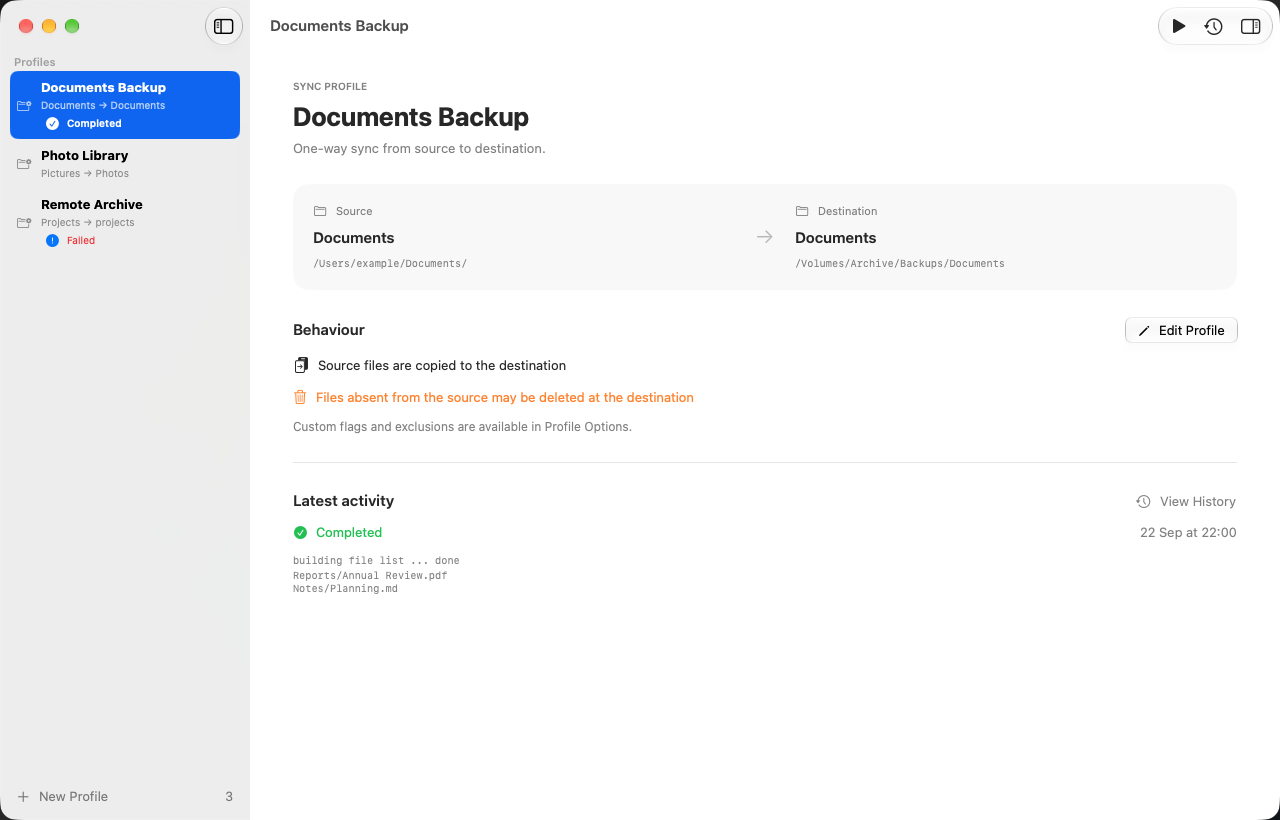
Save named profiles with source and destination folders. Keep your everyday syncs ready to go.
NATIVE MACOS. OPEN SOURCE.
Your files. Your folders. In sync.
The power of rsync, with a Mac interface that just makes sense.
Requires macOS 27 or later
Free & open source · No account required
LESS SETUP. MORE SYNC.
All the utility of rsync, with a little less remembering.
Pick your folders, save a profile, and take it from there.
Save named profiles with source and destination folders. Keep your everyday syncs ready to go.
Fine-tune rsync arguments and exclusions when you need them, with advanced options out of the way until you do.
Native navigation, familiar keyboard shortcuts, and an interface that follows your system appearance.
Start or stop a sync, then inspect the results. Search, filter, and copy the output of completed runs.
UP AND RUNNING
Choose your way in. Your next backup is a few clicks away.
Download the disk image, open it, and move Rsync Manager into your Applications folder.
Download for macOSLatest version — macOS 27 or later
Already use Homebrew? Add the tap and install the app.
brew tap cyberbison/custombrew
brew install --cask rsync-manager
Homebrew installs the latest version, which requires macOS 27 or later.
Future updates: brew upgrade --cask rsync-manager
Rsync Manager requires macOS 27 or later. Build from source
MADE TO BE OPEN
Browse the source. Report an issue. Make it better.
Rsync Manager is developed in the open, under the GPL-3.0 license.

Give your everyday syncs a place to call home.